SSufenue Download
RoidBloxMODDED ROBLOX CLIENT

A cleaner
smoother
Roblox experience.

RoidBlox is a modded Roblox client built to make using audio IDs even easier, straight from the client. It comes with a music player, mods, fast flags, an anti-AFK jumper and FPS boosts.

ROIDFrom Sufenue, the maker of ROID, the free Roblox audio ID app.
Music Player

Listen to IDs in any game, no boombox needed.

Mods & Fast Flags

Custom sounds, cursor, fonts and fast flags.

Graphics & FPS

Sharper graphics or more FPS, your pick.

Anti-AFK Jumper

Grind games idly without getting kicked.
SCROLL TO EXPLORE

Made for ROID

Find it in ROID.
Hear it in Roblox.

ROID is the free app for finding, previewing and organizing Roblox audio IDs. RoidBlox is its own Roblox client, built to make using those IDs in Roblox even easier, straight from the client.

1
Find a song in ROIDSearch working music codes, preview them and save your favorites.
2
Play it with RoidBloxPaste the ID into RoidBlox's music player and listen in any game.
3
Stay and listenThe anti-AFK jumper and auto-rejoin keep you in the server while you grind.

Music player

Your IDs, in any game.
No boombox needed.

RoidBlox has its own music player built into the client. Paste an audio ID and listen while you play, even in games that don't have boomboxes.

  • Paste any audio IDStraight from ROID, a video, or wherever you found it.
  • Works in every gameNo boombox or gamepass required.
  • Just for youIt plays on your PC, so only you hear it.

Graphics, FPS & fast flags

Make Roblox look and run how you want

Sharper graphics, more FPS, or both. RoidBlox uses the fast flags Roblox officially lets your client change.

  • Sharper imageAnti-aliasing, texture quality and the overall graphics quality level.
  • Pick your rendererDirect3D 11, Vulkan or OpenGL.
  • FPS boostsGray sky, shorter grass and level-of-detail distance, and lower textures to cut what Roblox has to draw.
  • Fast flagsChange the fast flags Roblox allows, without editing files by hand.
  • Crisp at any scalingTurn off Roblox's DPI scaling and fix Alt+Enter fullscreen.
  • ModsSwap in your own sounds, cursor and fonts, and switch them off any time.
  • Discord statusShow your friends which game you're playing.

Utilities

Built to keep you in the game

RoidBlox starts Roblox for you and makes sure you stay in the server.

Anti-AFK jumper

Grind games idly without getting kicked. It jumps for you on a timer with a little random jitter, with F8 to toggle it.
Auto-rejoin

Reads Roblox's logs to spot a kick or disconnect, waits for your internet to come back, then rejoins your last game or one you pick.

Takes over the Play button

Play buttons and game links on roblox.com open RoidBlox. If you're already up to date, Roblox starts in about a second.

Its own copy of Roblox

Downloads the live version straight from Roblox's servers and checks every file against Roblox's own checksums.

Stays out of the way

Sits in the system tray while Roblox runs, so the jumper and rejoin keep working, and closes when you're done.

Updates itself

New versions install automatically. Uninstalling hands the Play button back to official Roblox.

Install RoidBlox

Run the installer. It sets up everything it needs, including the .NET runtime if you don't have it.

Click Play on roblox.com

RoidBlox opens, makes sure your Roblox copy is current, and starts the game.

Go AFK

Turn on the jumper and auto-rejoin from the tray or home window. RoidBlox keeps you in the server.

RoidBlox logo

Download

RoidBlox v1.2.1 Available now

Version 1.2.1 is out. Grab the installer and you'll be playing in under a minute.

Free · Windows 64-bit · v1.2.1 · 3.9 MB · Installs the .NET 10 runtime if needed

Digitally signed · publisher verified by Microsoft

Installer SHA-256: 8710ae3a257d350702eb068954043b80e1f372ae389e5aaeedc8a15acc954124

Also get ROID to build your audio ID library.

Install guide

Install RoidBlox in under a minute

Six quick steps, from download to playing.

  1. Download the installer

    Click Download for Windows above. You'll get one small file called RoidBlox-Setup-1.2.1.exe (about 3.9 MB).

  2. Open it

    Double-click RoidBlox-Setup-1.2.1.exe.

    RoidBlox is digitally signed, with the publisher verified by Microsoft, so Windows can confirm the file really comes from Sufenue and hasn't been changed. To check it yourself, right-click the file → Properties → Digital Signatures.

    If Windows still shows Windows protected your PC (it can while an app is brand new), click More info, then Run anyway.

  3. Install

    Choose whether you want a desktop shortcut, click Next, then Install. No admin password needed.

    If your PC doesn't have Microsoft's .NET 10 runtime yet, the installer downloads it for you. Windows asks for permission once.

  4. Finish

    Leave Open RoidBlox ticked and click Finish. RoidBlox has already connected itself to the Play button on roblox.com.

  5. Click Play on roblox.com

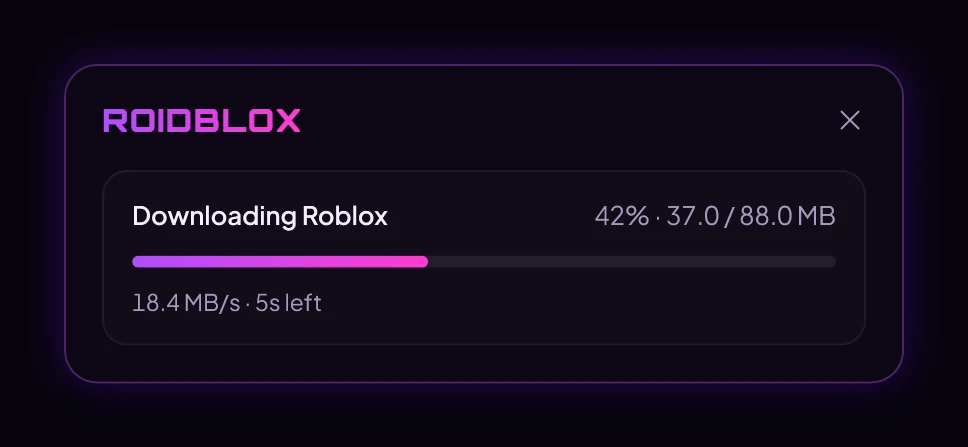
    Pick any game and press Play like you always do. RoidBlox opens instead of the normal launcher. The first time, it downloads its own copy of Roblox, then starts the game.

    RoidBlox downloading Roblox before the first game

    The RoidBlox launch window

  6. You're all set

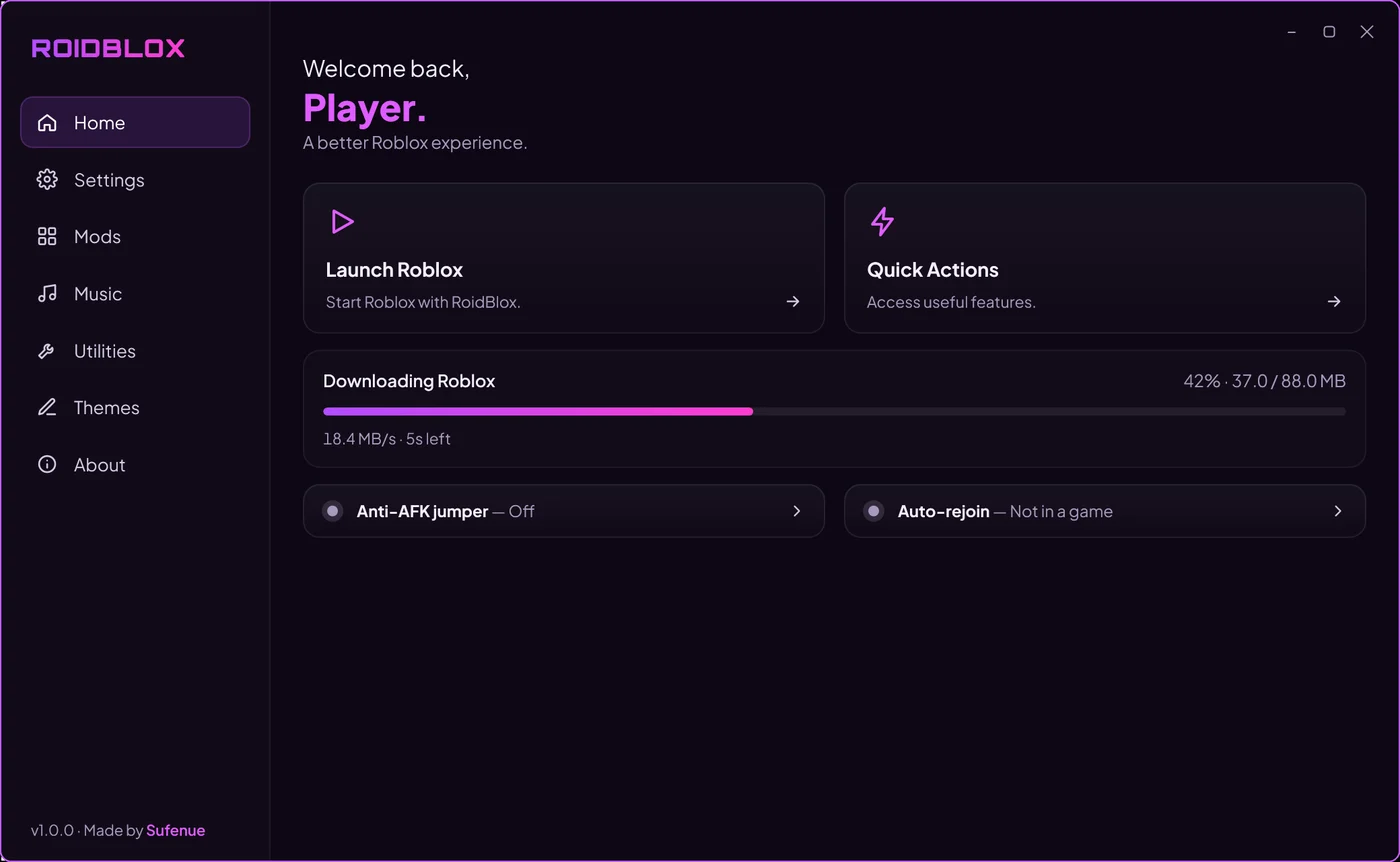
    Open RoidBlox from your Start menu or desktop shortcut any time to turn on the anti-AFK jumper and auto-rejoin, play music, add mods and pick a theme.

    Want the normal launcher back? Uninstall RoidBlox from Windows Settings, and the Play button goes back to Roblox.

    The RoidBlox home screen

    The RoidBlox home screen

Support

Questions & answers

Is RoidBlox free?

Yes.

How is it connected to ROID?

RoidBlox is ROID's own Roblox client, made by the same developer, Sufenue. Use ROID to find and save audio IDs, and RoidBlox to play them in-game and stay in the server.

Can other players hear the music player?

No. It plays on your own PC, so only you hear it. That's also why it works in any game, even ones without boomboxes.

Is it safe to use? Is it a virus?

It's not a virus. RoidBlox is digitally signed, with the publisher verified by Microsoft, so Windows can confirm the installer really comes from Sufenue and hasn't been tampered with. You can check it yourself: right-click RoidBlox-Setup-1.2.1.exe → Properties → Digital Signatures.

RoidBlox also downloads Roblox from Roblox's own servers and checks every file. Mods only swap the sounds, cursor and fonts you choose, and fast flags are limited to the ones Roblox officially allows.

How do I go back to the normal Roblox launcher?

Uninstall RoidBlox. It gives the Play button back to official Roblox.

Where do I get help?

Join the ROID Discord.